# How to Set Personal Token for Github
On August 27th of 2021, I made a simple project and tried to push it to a repo but I got an error below.
```
Support for password authentication was removed on August 13, 2021. Please use a personal access token instead.
remote: Please see https://github.blog/2020-12-15-token-authentication-requirements-for-git-operations/ for more information.
```
I got the error because I used passwords to authenticate it but Github doesn't allow Git operations through passwords but requires a personal token as of August 13th,. [Read more about it](https://github.blog/2020-12-15-token-authentication-requirements-for-git-operations/).
## How I got the error
**1 - Create a project directory**
```
$mkdir exampleProject
```
**2 - Run $ git init inside the root directory**
```
exampleProject $ git init
```
**3 - Create a new repo from Github**
・From a main page of Github, click "New"

・Name a project and click "Create repository"
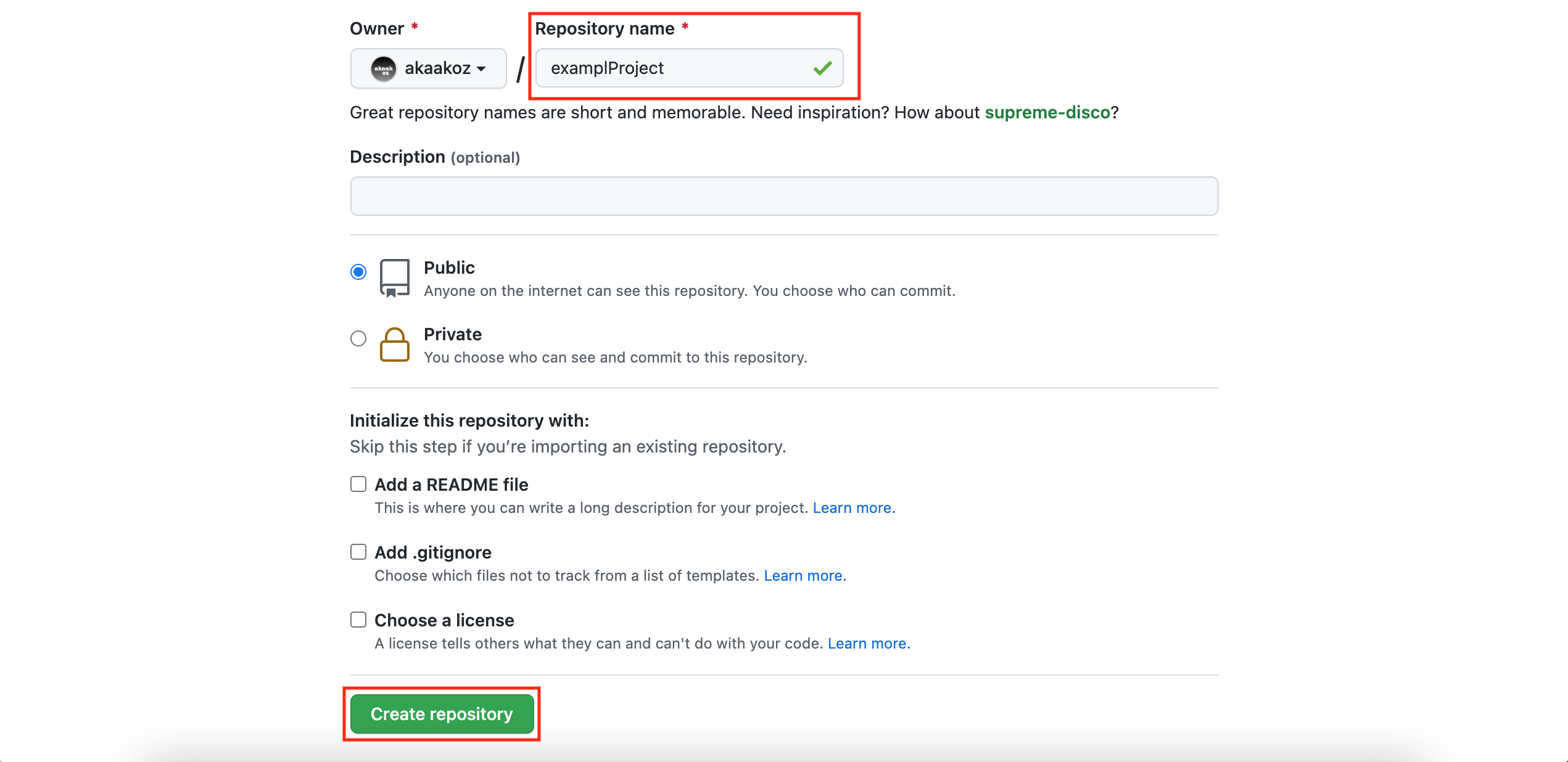
**4 - Add remote repo and push to the repo**
```
exampleProject $ git remote add https://github.com/username/exampleProject.git
exampleProject $ git push --set-upstream origin main
```
**ERROR! ↓**
```
Support for password authentication was removed on August 13, 2021. Please use a personal access token instead.
remote: Please see https://github.blog/2020-12-15-token-authentication-requirements-for-git-operations/ for more information.
```
## SOLUTION
If you are experiencing the same error, the solution is really simple!
You just need your personal token.
**1 - Follow this [Github document](https://docs.github.com/en/github/authenticating-to-github/keeping-your-account-and-data-secure/creating-a-personal-access-token#creating-a-token) to create your personal token.**
**2 - Run the following command line and set your username and personal token.
**
```
exampleProject $ git push --set-upstream origin main
// Asks your username and password
Username for 'https://github.com': {your username}
Password for 'https://akiya@github.com': {your token}
// You just need to set it once!
```
That's all you need.
Reference:
[Token authentication requirements for Git operations](https://github.blog/2020-12-15-token-authentication-requirements-for-git-operations/)
[Creating a personal Token](https://docs.github.com/en/github/authenticating-to-github/keeping-your-account-and-data-secure/creating-a-personal-access-token#creating-a-token)